By Muhammad Ikram · checked 20 November 2026
PTA Check Online by IMEI: Approved, Unpaid or Blocked? Read the 8484, Website and App Replies
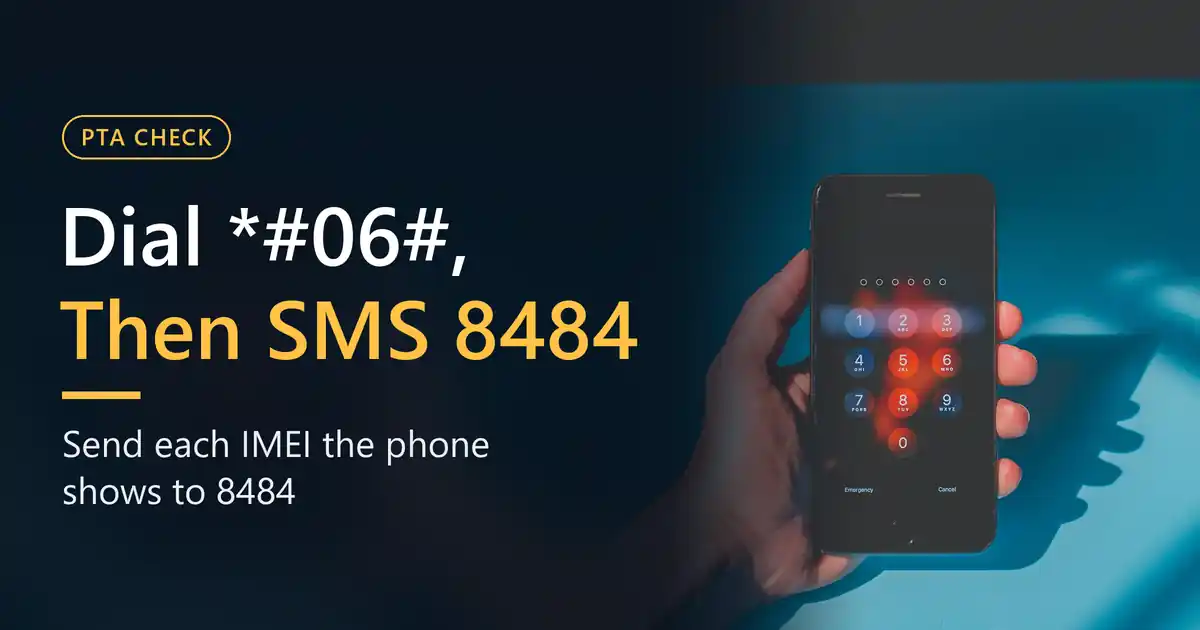
For a PTA check on a phone, dial *#06#, then send each IMEI to 8484 or type it on PTA’s DIRBS website, and the reply tells you whether PTA approved the handset. The PTA DVS App gives the same answer on your screen. You won’t be asked for a CNIC, an account or a password on any of the three, and PTA lists no fee for them, though your mobile company may still charge for the 8484 message, so ask it if that matters to you.
Check the phone by its IMEI first, then the SIMs on your own CNIC
- What your reply means Six results and the step each one needs
- Call PTA on 0800-55055 PTA’s helpline for device questions
- Open cnic.sims.pk Check the SIMs on your CNIC after buying a phone
On a phone, a call button opens your own dialler. Nothing is dialled until you press call, and your network may charge.
Most buyers only want to hear “approved”, but the reply can say five or six different things. A genuine phone with unpaid duty, a fake IMEI, a copied IMEI, a phone someone reported stolen and one under a fraud flag all need their own next step, and paying duty fixes only one of them.
Which PTA check do you need?
“PTA check” gets typed for four separate jobs, and only one of them is about the handset itself. Find your row first.
| What you want to know | Where it is done |
|---|---|
| Is this phone PTA approved, blocked or stolen? | The IMEI check on this page: an SMS to 8484, the DIRBS website or the PTA DVS App |
| How many SIMs stand on my own CNIC? | Another system entirely. Your CNIC number goes to 668, or you open cnic.sims.pk, and the answer is a SIM count with nothing about handsets in it |
| What duty will this phone cost? | FBR decides the duty, PTA does not. The DIRBS menu carries a link to FBR’s page, “Know Individual Mobile Duties Via FBR”, and what you finally pay is printed on your payment slip |
| I want to complain about a phone or a block | PTA’s Complaint Management System (CMS), under the category that matches your case; the categories come up in the steps below |
Lost your own phone with a SIM still in it? Block the SIM first. How each network does that is on our SIM block code page, and the handset is then blocked by its IMEI through a complaint on the CMS.
Step 1: find every IMEI the phone has
IMEI stands for International Mobile Equipment Identity: 15 digits that belong to the handset, not to the SIM, and not the same thing as its serial number. PTA’s check reads the IMEI and nothing else. A serial number is asked for in one place only, a complaint about a duplicated IMEI.
Dial *#06# and the phone shows its IMEIs straight away. Type the code on the handset you are about to buy, with your own fingers, rather than trusting a box or a sticker the seller holds up, and note how many numbers come up. PTA’s FAQ names a few more places to look:
- the original box;
- Settings, in About phone or About device;
- under the back cover, or beneath the battery of a feature phone;
- on an iPhone, Settings shows them as well as *#06#.
Expect one IMEI per SIM slot on a dual-SIM phone. An eSIM brings a digital IMEI on top, and PTA uses Apple handsets to illustrate a phone with one physical and one digital IMEI. PTA wants every IMEI programmed into a device registered, and its FAQ notes that one device can hold several, so run the check on each number, not only the top one.
Phones are not the only things covered. PTA defines a mobile device as “any SIM based devices” and lists the dongle, the smart watch and the tablet among them; each goes through the same check and the same registration.
Step 2: the PTA IMEI check by 8484, on the website or in the app
Whichever route you pick, the answer comes from the same DIRBS records. DIRBS is short for Device Identification, Registration and Blocking System; the piece of it that replies to you is DVS, the Device Verification System. One IMEI goes in per query.
| Route | Steps | What you need |
|---|---|---|
| SMS to 8484 | Write a new text message containing the IMEI and send it to 8484, then do the same for any second IMEI | A phone that sends SMS. PTA lists no fee; ask your mobile company whether it charges for the message |
| DIRBS website | Go to dirbs.pta.gov.pk, find the box titled “Check status of your device”, enter the IMEI there and tap Check. On pta.gov.pk, “Check IMEI Status” in the menu takes you there too | Any browser. No sign-up and no fee on the page, which runs a reCAPTCHA |
| PTA DVS App | Search Google Play for “DVS” or the App Store for “PTA DVS”, then enter the IMEI by hand or scan the barcode on the box | Free in both stores; on Android, the listing states there is no login |
That website is what people mean by a PTA check online, and it is handy when you want to read the reply on a laptop. It works only inside the country. PTA’s own note about DIRBS says that it is “only accessible within Territory of Pakistan”. Its FAQ adds that the registration site will not open from abroad either, so a person overseas is better off asking a relative at home to text the IMEI to 8484.
A small oddity: the DIRBS FAQ still gives dvs.pta.gov.pk as the address for the check. On 20 November 2026 that name failed to resolve for us, on our own connection and on Google’s public DNS alike. Stick to dirbs.pta.gov.pk, which PTA’s home page, its menu and its lost-phone answers all lead to, and treat any other site claiming to do PTA’s check with suspicion.
The PTA DVS App in the two stores
Google Play lists the app as “DVS”, published by “Pakistan Telecommunication Authority – PTA”. When we looked on 20 November 2026 it had over a million downloads and 4.5 stars from 1.38K reviews, and its last update was dated 27 February 2025. Apple’s store calls it “PTA DVS”, by the same publisher, with 2.4 stars from 156 ratings and a minimum of iOS 12.0. A number of iPhone reviews complain that it shuts down or crashes after an IMEI is typed or scanned, so keep the 8484 route ready on an iPhone.
Each listing says the app collects no data. Get it through the “Download PTA DVS App” links at the foot of pta.gov.pk, which open the two store pages, and never from an APK that arrives in a chat or sits on some download site.
Its labels are shorter than the SMS. On Android you get PTA-Approved, Non-PTA (a phone “not registered” that “can be approved upon fulfilling regulatory conditions”) or Not Approved (“blocked or restricted from usage”); on the iPhone, Compliant, Non-compliant or Blocked. Our suggestion: if the app gives you anything other than its first label, text that IMEI to 8484 as well, because the SMS states the precise result.
Step 3: what the reply means
PTA publishes the possible replies twice, and the two lists differ slightly. Both share Compliant, Stolen and Fraudulent Activity. The FAQ on the DIRBS site adds GSMA Valid and Non-Compliant, while PTA’s Stolen Mobile Devices FAQ on pta.gov.pk adds “GSMA Valid but not register” and Duplicated/cloned. Put together, that is six outcomes, and PTA doesn’t say which of its two lists an 8484 reply uses.
| Result | Words in the reply | What it means for you |
|---|---|---|
| Compliant | “compliant (PTA Approved/Registered)”, shown as PTA-Approved by the Android app | Registered already. You owe nothing and have nothing to file |
| Valid, not registered | “valid, not Approved/Registered by PTA”; elsewhere “GSMA valid however FBR duties/taxes have not been paid” | A real phone on which duty has not been paid. Registration is open for 60 days from its first use on a network here |
| Non-compliant | “will be blocked after 1 day of its first use on Pakistani Mobile Network” | Its IMEI does not follow the GSMA numbering. No registration is possible |
| Duplicated or cloned | “identified as duplicated/cloned” | More than one handset is using this IMEI |
| Reported stolen | “blocked (Reported Stolen/Lost/Misused to PTA)” | Blocked after a report. Leave it in the shop |
| Fraudulent activity | “reported/Identified under fraudulent activity and will be blocked on”, followed by a date | Your proof must reach PTA on the CMS before that date |
Row two is where most of the confusion lies. PTA’s FAQs quote it in more than one form, “GSMA Valid” and “valid, not Approved/Registered by PTA”, and a user’s question there calls it “Not PTA Registered”, while the Android app says Non-PTA. Each of these means a genuine handset whose duty is still unpaid, the phone a shopkeeper calls non-PTA. Don’t mix it up with non-compliant: duty can rescue the first, nothing rescues the second.
PTA counts a phone as compliant when four things hold: its IMEI is valid under GSMA’s numbering, no other device shares it, it is not on the lost and stolen list, and PTA has type approved the model. Miss one, and the phone is non-compliant.
What to do next, result by result
Compliant, or PTA approved
You have nothing to register or pay. Still, read the whole reply: it gives the model and any other IMEIs registered alongside the one you sent, and both should fit the handset you are holding. One line of the reply is worth acting on: “obtain & keep FBR/Custom duty paid slip”. Where the reply shows the phone as registered on an individual’s CNIC or passport, get the PSID and the duty paperwork from the seller, because PTA calls buying or selling such a phone something you do “at your own risk”.
No signal on a compliant phone points to the network or the handset, not to registration. PTA’s suggested order: switch the phone off and on, put in a SIM from a different company to see if one network is at fault, call your mobile company’s helpline so it can check the IMEI on its side, and finally take the handset to the maker’s service centre.
Valid but not registered: 60 days and a PSID
You have 60 days from the phone’s first use on a Pakistani network to register it; after that it is blocked. PTA’s FAQ doesn’t soften it: once the 60 days pass, the phone “will not receive any services”, and bringing it back on another visit does not start a fresh 60 days. Late registration is still possible, but a fine is added to the duty.
Three routes lead to registration:
- PTA’s DRS portal at dirbs.pta.gov.pk/drs;
- dialling *8484# from a SIM registered on your own CNIC or passport;
- the counter of any mobile company’s franchise or service centre, which charges PKR 100 for each registration according to the DIRBS site.
After you apply, PTA sends the IMEIs to the manufacturer to verify, typically a matter of 24 to 48 hours by PTA’s account. Your Payment Slip ID (PSID) then comes by SMS. It lasts seven days, and if it goes unpaid it is deleted and you start again. You pay at a commercial bank. Once FBR has the payment, PTA says a blocked phone usually comes back within three to four hours, and it advises a restart at that point. Still no service after 24 hours, with the status showing Compliant? Complain on the CMS.
No 8484 reply ever states a price; it gives the status alone. What you owe is on the PSID, and FBR sets it. Tax filers, students and government employees get no discount, PTA’s FAQ says, and nor does anyone who applies early within the 60 days. One person may register up to five devices per calendar year.
Here for a short visit? Overseas Pakistanis and foreign visitors can ask for temporary registration, which lasts up to 120 days counted from the day they arrive. Only one device is covered, and it works only with the mobile number declared for it, a number that must be in the visitor’s own name from a Pakistani mobile company. Roaming is a separate case. PTA says people on roaming “will continue to use their phones without any registration”. The 60-day count begins only once a local SIM is put in.
One slot registered, the other not
Certain dual-SIM handsets that were already in use before DIRBS started were registered on their first IMEI only. Paying duty is not how PTA fixes this. Instead, complain on the CMS under “One Slot Compliant/One Non-compliant”; PTA asks the manufacturer to confirm that both IMEIs come from the same handset, and when it does, the second IMEI gets registered “without FBR duty”. Such complaints are settled within 7 working days, according to PTA’s FAQ. There is no fix when the second IMEI is GSMA invalid or has been reported stolen.
Non-compliant
No route leads to registration. Try it and the registration system rejects the IMEI with “Invalid GSMA TAC”. One old exception remains: phones that were already in use on a Pakistani network up to 15 January 2019 got paired with the number they carried then, and they still work with that number only.
Duplicated or cloned
Tax won’t solve this one. PTA’s answer is flat: “Payment of taxes does not legalize a cloned/duplicated IMEI.” What can help a genuine handset is pairing. Complain on the CMS in the non-compliant category and attach a screenshot of the *#06# screen, together with the serial number, the model and maker, and as many as five mobile numbers. When the manufacturer vouches for the phone, PTA pairs its IMEI with those numbers, and texting the word pair to 8484 shows you the pairings on your number.
Reported stolen
Put a phone with this reply back on the counter. Lifting the block is open only to the person whose credentials were used to place it: PTA links the unblock request to those details and wants the earlier CMS complaint number, the CNIC and a one-time password. Where a PTA-approved handset has two IMEIs, a block on one blocks both. PTA cannot recover a lost phone for you; its LSDS answers point you to the local police, or to the CPLC in cities that have one.
Fraudulent activity
This reply comes with a date attached. According to PTA, the IMEI “will be blocked on” it “if no justification proof is received”, and you send that proof through the CMS. PTA also audits registrations, then delists and blocks any IMEI it finds “belonging to different models registered against another application”, which means a registration borrowed from a different handset won’t hold.
A phone registered on your passport by someone else
Dial *8484# to see the number of devices registered against your passport. If you never registered one and a figure appears anyway, PTA treats that as misuse of your credentials. Complain on the CMS under Misuse of Credentials with PTA’s signed undertaking attached; in it you ask PTA to remove every device registered on your details.
Before you pay for a used phone
Plenty of second-hand phones work fine in the shop and then lose service a few weeks on. When a used phone gets blocked after the sale, PTA’s FAQ answer is the 60 days: a genuine phone new to Pakistani networks that nobody registered gets two months of service and then stops. Checking on the day you buy is how you find out whether those two months have already begun. At the counter, go in this order:
- Type *#06# on the phone yourself and count the IMEIs.
- From your own phone, text each IMEI to 8484 for a PTA check, one message per number.
- Compare the model named in each reply with the phone in your hand. PTA’s advice is that phones showing a duplicated result, or a model that doesn’t match, “should be avoided”.
- If a reply shows registration on an individual’s CNIC or passport, ask for the PSID and proof of duty before you hand over any money.
- Save the replies alongside the receipt. A dated SMS or screenshot shows what PTA’s system told you on the day.
Watch out for a seller who calls a phone “CPID approved” or “lifetime patched”. Patching, in PTA’s words, is illegal: the phone’s software is altered to reprogram its IMEIs. PTA says those labels are “often used by sellers to mislead buyers”, warns that a patched phone may be blocked at any moment, and adds that using or selling one breaks the law. If the only proof of PTA approval is the seller’s word, the phone isn’t PTA approved.
What people get wrong about the PTA check
“Texting the IMEI to 8484 registers my phone.” Wrong. PTA titles the 8484 steps “Instructions For SMS Based Verification”, so it only reads the status. To register, go to a mobile company’s counter, dial *8484# or use the DRS portal at dirbs.pta.gov.pk/drs.
“Once the tax is paid, any phone will work.” Not a cloned or duplicated one, not one with a GSMA-invalid IMEI, and not a stolen one. On stolen phones, PTA’s FAQ puts it in one line: “Stolen mobile phone cannot be registered.”
“I need an account to see the status.” You don’t. Only registration needs an account; the status check wants the IMEI and no more.
“Someone from PTA phoned and can register my phone if I pay now.” PTA’s process runs the other way: you apply, a PSID is sent to you, and you pay it yourself at a bank. Treat a call asking for a registration payment as a scam until it is proved otherwise.
“This site or app shows the PTA status once I log in.” A real PTA check asks for an IMEI and nothing else. If a page or an app asks for your CNIC, a password or money before it will show a phone’s status, it is not doing what PTA’s check does.
PTA check: quick answers
Are 8484 and *8484# the same thing?
No. 8484 is the SMS short code that checks an IMEI. Dialled as a USSD code, *8484# registers a device, and it also shows how many devices stand registered against your passport. The digits match; the services don’t.
Is the PTA check online free?
PTA showed no charge for the website, the app or the 8484 SMS when we read its pages on 20 November 2026, and both stores list the PTA DVS App as free. Your mobile company may still bill the SMS, so ask it. Registering is different: FBR sets the duty, and a franchise adds PKR 100.
Does the 8484 reply tell me the tax on my phone?
No, only the status. The amount is on the PSID that comes after you apply, and FBR, not PTA, sets it.
How does a PTA check work on an iPhone?
Find its IMEIs with *#06# or in Settings and text each one to 8484. If the iPhone has an eSIM, you will see a digital IMEI beside the physical one, and PTA wants both registered.
Can I run a PTA check from abroad?
Not on the website: PTA says DIRBS can only be reached from inside Pakistan, and the registration site does not work from abroad either. Ask someone in Pakistan to text the IMEI to 8484 before your trip.
Do tablets, smart watches and dongles need the check too?
They do if they take a SIM. Under PTA’s definition, any SIM based device is a mobile device, checked and registered the way a phone is.
Does the PTA DVS App need a login?
Not according to its Android listing, which says there is none. You type or scan an IMEI, and that is all it asks for.
What we checked and when
We read these on 20 November 2026: PTA’s DIRBS website (home page, FAQs, About DIRBS, and Mobile Operators Facilitation Centers), the device FAQs on pta.gov.pk, PTA’s DIRBS FAQ document (a PDF on pta.gov.pk), both app store listings, and the FBR duty page linked from the DIRBS menu. The same day we tried dvs.pta.gov.pk, which did not resolve. We haven’t registered a device, paid a PSID or filed a complaint ourselves, so what you read here is PTA’s published process, not our test of it.
| Date | What the check found |
|---|---|
| 20 November 2026 | First version: the three IMEI check routes (8484, the DIRBS website, the PTA DVS App), the six results from PTA’s two lists, and registration through the DRS portal, *8484# or a franchise for PKR 100 |
Sources, all read on 20 November 2026: PTA’s Device Verification System site (home page, DIRBS FAQs, About DIRBS, Mobile Operators Facilitation Centers); the Mobile Device Registration FAQs on pta.gov.pk, including the parts on registration, no service after registration, one-slot cases, duplicate and cloned devices, misuse of credentials, stolen devices and temporary registration; PTA’s Lost & Stolen Device System FAQs; PTA’s DIRBS FAQ PDF; the footer of the pta.gov.pk home page; the Google Play listing “DVS” and the App Store listing “PTA DVS”; FBR’s WeBOC Mobile Device Duty Information page.
Page updated .